

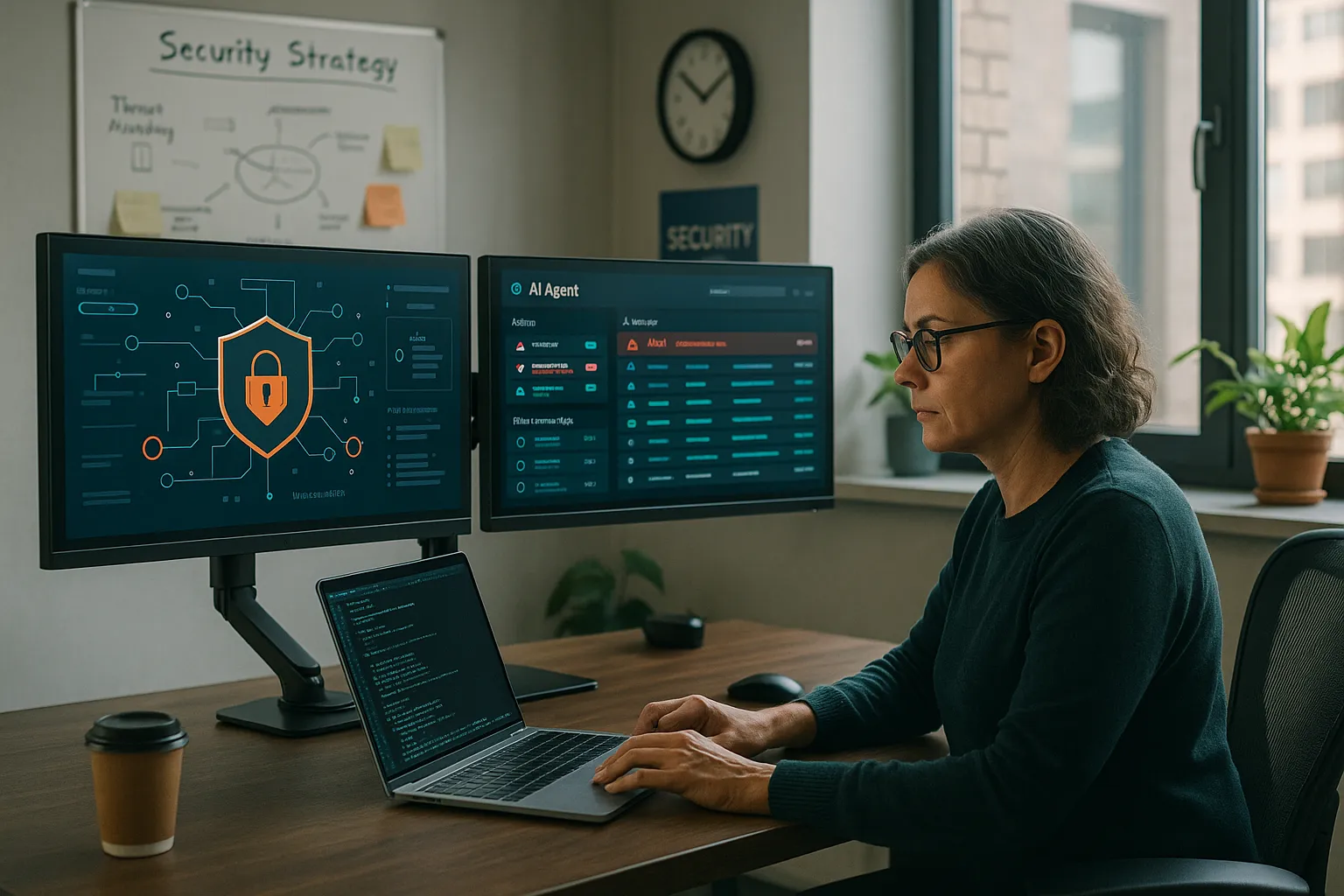
The AI agent had been in production for six weeks. The team considered the deployment a success. Customer satisfaction scores were stable. No major incidents had been reported. Leadership was pleased.
Then the monthly invoice arrived. LLM API costs had grown 340% from projections. The agent was consuming tokens at a rate that made the business case untenable. Worse, investigation revealed the cost explosion had started in week two but gone undetected because no one was monitoring token consumption at the workflow level.
This story illustrates a broader truth about AI agent deployments: the hard part is not getting agents into production but keeping them running reliably, effectively, and economically once they are there. Traditional application monitoring covers some requirements but misses critical dimensions unique to AI systems.
This article provides a comprehensive playbook for monitoring AI agents in production. It covers what to measure, why those measurements matter, how to set up effective alerting, and how to use monitoring data to continuously improve agent performance. For a deeper architectural treatment of the underlying instrumentation, see our guide to AI agent observability.
Why AI Agent Monitoring Is Different
AI agents present monitoring challenges that traditional application monitoring does not address:
Non-deterministic behavior: The same input can produce different outputs. This makes defining “correct” behavior more complex than checking for specific responses.
External dependencies: Agents rely on external LLM APIs whose behavior, latency, and availability are outside your control. These dependencies can change without notice.
Cost per interaction: Every agent action has a direct cost tied to token consumption. Costs can vary dramatically based on how agents are used.
Quality degradation: Unlike crashes or errors, quality degradation in AI responses is often subtle and requires ongoing measurement to detect.
Context sensitivity: Agent performance depends heavily on the context they can access. Changes to data sources can impact agent effectiveness without any code changes.
Traditional APM Is Not Enough
Application Performance Monitoring (APM) tools catch errors, measure latency, and track throughput. But they miss token costs, response quality, context retrieval effectiveness, and guardrail violations that are essential to AI agent operations. You need AI-specific monitoring alongside traditional observability.
The Four Pillars of AI Agent Monitoring
Effective AI agent monitoring covers four distinct categories, each with its own metrics and concerns:
flowchart TB
    subgraph "Performance Monitoring"
        A1[Latency]
        A2[Throughput]
        A3[Error Rates]
        A4[Availability]
    end

    subgraph "Cost Monitoring"
        B1[Token Consumption]
        B2[API Costs]
        B3[Cost per Interaction]
        B4[Cost Trends]
    end

    subgraph "Quality Monitoring"
        C1[Task Completion]
        C2[User Satisfaction]
        C3[Accuracy Metrics]
        C4[Guardrail Compliance]
    end

    subgraph "Operational Monitoring"
        D1[Context Retrieval]
        D2[Tool Execution]
        D3[Workflow Progress]
        D4[Resource Utilization]
    end

    A1 --> E[Unified Dashboard]
    A2 --> E
    A3 --> E
    A4 --> E
    B1 --> E
    B2 --> E
    B3 --> E
    B4 --> E
    C1 --> E
    C2 --> E
    C3 --> E
    C4 --> E
    D1 --> E
    D2 --> E
    D3 --> E
    D4 --> E

    E --> F[Alerting]
    E --> G[Trending]
    E --> H[Optimization]
Pillar 1: Performance Monitoring
Performance monitoring for AI agents extends traditional metrics with AI-specific considerations:
End-to-end latency: Total time from user request to delivered response. For AI agents, this includes context retrieval, LLM processing, tool execution, and response formatting. Users expect responsive interactions; latency above 3-5 seconds significantly impacts satisfaction.
Component latency breakdown: Where is time spent within the agent workflow? Understanding whether delays come from LLM calls, vector search, database queries, or external APIs enables targeted optimization. Capturing this breakdown is the core job of LLM tracing in production.
Throughput: How many interactions can the system handle? Throughput limits often come from rate limiting on external APIs rather than internal compute capacity.
Error rates: What percentage of interactions fail completely? This includes LLM API errors, context retrieval failures, tool execution errors, and timeout conditions.
Availability: What percentage of time is the agent accessible and responsive? This accounts for both internal system health and external API availability.
| Metric | Good | Acceptable | Problematic | Critical |
|---|---|---|---|---|
| P95 Latency | < 2s | 2-5s | 5-10s | > 10s |
| Error Rate | < 0.1% | 0.1-1% | 1-5% | > 5% |
| Availability | > 99.9% | 99-99.9% | 95-99% | < 95% |
| Throughput Headroom | > 50% | 25-50% | 10-25% | < 10% |
Pillar 2: Cost Monitoring
Cost monitoring is uniquely critical for AI systems where every interaction consumes billable resources:
Token consumption per interaction: How many input and output tokens does each interaction require? This varies based on context length, response complexity, and agent architecture.
Token consumption by workflow step: Where within the agent workflow are tokens being consumed? Often, a single step (such as context inclusion) dominates token usage.
Cost per completed task: What does it cost to accomplish a unit of business value? This normalizes costs against outcomes rather than raw usage.
Cost trends over time: Are costs increasing, decreasing, or stable? Trend analysis reveals optimization opportunities and catch unexpected cost growth.
Budget burn rate: How quickly are you consuming allocated budget? Burn rate tracking enables proactive intervention before budget exhaustion.
Cost Optimization Starts with Visibility
You cannot optimize what you do not measure. Detailed token-level monitoring reveals optimization opportunities that would otherwise be invisible. Teams commonly find 30-50% cost reduction opportunities once they have visibility into token consumption patterns.
Cost allocation: Which teams, features, or use cases are responsible for which costs? Attribution enables accountability and informed decisions about resource allocation.
Pillar 3: Quality Monitoring
Quality monitoring addresses the hardest challenge: determining whether agent responses are actually good.
Task completion rate: What percentage of interactions result in successful task completion? This requires defining what “completion” means for each use case.
User satisfaction signals: Explicit feedback (ratings, thumbs up/down) and implicit signals (whether users follow up with corrections, whether they return for similar tasks) indicate satisfaction.
Accuracy metrics: For tasks with verifiable correct answers, measure accuracy directly. For more subjective tasks, use human evaluation on sample interactions. To catch quality regressions before they reach users, pair production monitoring with an LLM evals regression suite.
Guardrail compliance: How often do agents attempt to violate defined boundaries? Even if guardrails prevent the violation, frequent attempts suggest prompt engineering issues.
Hallucination detection: For factual claims, what percentage can be verified against source data? Hallucination rates indicate context retrieval or reasoning issues.
Quality Monitoring Implementation
❌Before AI
- •No systematic quality measurement
- •Reliance on user complaints to identify issues
- •Quality problems discovered weeks after occurring
- •No baseline for acceptable performance
- •Subjective assessment of agent effectiveness
✨With AI
- •Continuous automated quality scoring
- •Real-time detection of quality degradation
- •Issues identified within hours of emergence
- •Clear SLAs for quality metrics
- •Objective measurement against defined criteria
📊 Metric Shift: Mean time to detect quality issues reduced from 12 days to 4 hours
Escalation rate: What percentage of interactions require human intervention? A rising escalation rate suggests decreasing agent effectiveness or increasing task complexity.
Pillar 4: Operational Monitoring
Operational monitoring covers the internal mechanics of agent execution:
Context retrieval metrics: How effectively is the agent finding relevant context? Measure retrieval latency, result relevance scores, and coverage (whether needed information is retrieved).
Tool execution: Track success rates, latency, and error patterns for each tool the agent can invoke. Tool failures are a common source of agent failures.
Workflow progress: For multi-step workflows, track completion rates at each step. This reveals where workflows commonly fail or stall.
Resource utilization: Monitor compute, memory, and connection pool usage to anticipate capacity constraints before they impact performance.
Queue depths: If interactions are queued for processing, monitor queue depth and wait times. Growing queues indicate capacity issues.
Setting Up Effective Alerting
Monitoring data is only valuable if it triggers appropriate action. Effective alerting requires careful configuration to avoid both false alarms and missed issues.
Tiered severity levels: Define clear escalation levels based on impact and urgency:
- Critical: Immediate response required. System unavailable or severely degraded.
- High: Response within 30 minutes. Significant impact to users or costs.
- Medium: Response within 4 hours. Degradation that affects some users or represents risk.
- Low: Response within 24 hours. Issues to investigate but not immediately impactful.
Composite alerts: Single metrics often fluctuate innocuously. Combine metrics to create more meaningful alerts. High latency alone might be a transient network issue. High latency combined with increasing error rates suggests a real problem.
Baseline-relative alerting: Absolute thresholds miss context-dependent issues. Alert when metrics deviate significantly from recent baselines to catch unusual patterns even when absolute values seem acceptable.
flowchart TD
    A[Metric Deviation Detected] --> B{Severity Assessment}
    B -->|Critical| C[Page On-Call]
    B -->|High| D[Alert Team Channel]
    B -->|Medium| E[Create Ticket]
    B -->|Low| F[Log for Review]

    C --> G[Immediate Response]
    G --> H{Resolved?}
    H -->|Yes| I[Post-Incident Review]
    H -->|No| J[Escalate]

    D --> K[Team Assessment]
    K --> L{Urgent?}
    L -->|Yes| C
    L -->|No| E

    E --> M[Scheduled Investigation]
    F --> N[Weekly Review]
Routing by expertise: Different issues require different expertise. Route cost alerts to FinOps teams, quality alerts to ML engineers, and infrastructure alerts to SRE. Clear routing prevents confusion and delays.
Alert fatigue prevention: Too many alerts desensitize teams. Regularly review alert frequency, tune thresholds, and consolidate related alerts. If a particular alert never requires action, remove or reconfigure it.
Building Monitoring Dashboards
Dashboards make monitoring data accessible and actionable. Different stakeholders need different views:
Executive dashboard: High-level health indicators, cost summary, key business metrics (tasks completed, customer satisfaction), and trend lines. Minimal detail, maximum clarity.
Operations dashboard: Real-time health indicators, current error rates, latency percentiles, throughput, and active incidents. Optimized for quick situational awareness.
Engineering dashboard: Detailed component metrics, context retrieval performance, tool execution patterns, and resource utilization. Enables deep investigation.
Cost management dashboard: Token consumption by dimension (time, team, feature), budget burn rates, cost trends, and optimization opportunities. Supports FinOps practices.
| Dashboard | Primary Audience | Refresh Rate | Key Metrics |
|---|---|---|---|
| Executive | C-suite, Board | Daily | Cost total, satisfaction score, task completion |
| Operations | SRE, On-call | Real-time | Error rate, latency, availability |
| Engineering | ML Engineers | Hourly | Component performance, quality scores |
| Cost | FinOps | Hourly | Token consumption, cost by dimension |
Using Monitoring for Continuous Improvement
Monitoring is not just about catching problems. The data drives continuous improvement:
Identify optimization opportunities: High token consumption in specific workflow steps suggests optimization targets. If context retrieval consistently includes irrelevant information, refining retrieval improves both cost and quality.
Validate changes: When you modify prompts, update context sources, or change agent architecture, monitoring quantifies the impact. Did the change improve latency? Did it affect quality? Did it change costs?
Detect drift: Models change, data sources evolve, user behavior shifts. Trend analysis reveals drift before it becomes problematic. If accuracy metrics gradually decline, investigation can identify and address root causes.
Inform capacity planning: Usage patterns and growth trends inform capacity decisions. Understanding peak loads and growth rates enables proactive scaling rather than reactive firefighting.
Monitoring Enables Continuous AI Operations
The goal of monitoring is not just to catch problems but to enable continuous improvement. This is the essence of Continuous AI Operations: using production data to systematically enhance agent performance over time.
Integration with Enterprise Context Engineering
At metacto, we consider monitoring a core component of Continuous AI Operations, one of the four pillars of our Enterprise Context Engineering approach.
Effective monitoring connects to the broader ECE architecture:
- Autonomous Agents: Monitoring reveals how context access impacts agent effectiveness, guiding context engineering decisions.
- Agentic Workflows: Workflow-level monitoring identifies bottlenecks and failure points in multi-step processes.
- Executive Digital Twin: Monitoring ensures digital twins maintain quality and alignment with executive intent.
The monitoring infrastructure itself requires context engineering. Effective dashboards need to understand organizational structure, ownership, and priorities. Alert routing needs to know who is responsible for what. Cost allocation needs to map usage to business dimensions.
Implementing Your Monitoring Strategy
For organizations deploying AI agents, here is a recommended implementation sequence:
Phase 1 (Week 1-2): Foundation
- Instrument basic performance metrics (latency, errors, availability)
- Set up token consumption tracking
- Create initial operations dashboard
- Configure critical alerts only
Phase 2 (Week 3-4): Expansion
- Add quality metrics (task completion, user signals)
- Implement component-level performance tracking
- Create role-specific dashboards
- Configure tiered alerting
Phase 3 (Month 2): Optimization
- Add cost allocation and attribution
- Implement baseline-relative alerting
- Create trend analysis and forecasting
- Begin systematic optimization based on data
Phase 4 (Ongoing): Continuous Improvement
- Regular alert tuning
- Dashboard refinement based on usage
- Correlation of metrics with business outcomes
- Automation of routine optimizations
The monitoring investment pays for itself through reduced incidents, lower costs, and improved agent performance. Organizations that monitor effectively achieve better results from their AI agent investments.
Build Production-Grade AI Agent Monitoring
Do not let your AI agents run blind in production. Talk with our team about implementing comprehensive monitoring that ensures reliability and drives continuous improvement.
Frequently Asked Questions
What metrics should I monitor first for a new AI agent deployment?
Start with four essential metrics: availability (is the agent accessible?), error rate (are interactions failing?), P95 latency (are responses fast enough?), and total cost (are you within budget?). These provide fundamental health visibility. Expand to quality metrics and detailed operational data once the foundation is stable.
How do I measure AI agent response quality?
Quality measurement combines multiple approaches: task completion rates (did the agent accomplish what was asked?), user satisfaction signals (explicit feedback and behavioral indicators), accuracy on verifiable facts, guardrail compliance (did the agent stay within bounds?), and periodic human evaluation of sampled interactions. No single metric captures quality; the combination provides a comprehensive view.
What is a normal cost per AI agent interaction?
Cost varies dramatically based on use case. Simple chat interactions might cost $0.001-0.01. Complex multi-step workflows with extensive context retrieval might cost $0.10-1.00 or more. The key is establishing baselines for your specific use cases and monitoring for unexpected deviations rather than comparing to generic benchmarks.
How often should I review AI agent monitoring data?
Critical alerts require immediate attention. Operations dashboards should be checked multiple times daily during business hours. Engineering dashboards warrant daily review. Executive summaries and trend analysis should happen weekly. Cost analysis is typically weekly or monthly depending on scale. The cadence should match the potential impact of issues that might emerge.
How do I reduce alert fatigue while maintaining visibility?
Several practices help: tune thresholds based on actual impact (if alerts rarely require action, they are too sensitive), use composite alerts that combine metrics for higher signal, implement baseline-relative alerting instead of fixed thresholds, consolidate related alerts into single notifications, and regularly review alert frequency to identify and eliminate noise.
What is Continuous AI Operations?
Continuous AI Operations is the ongoing discipline of monitoring, maintaining, and improving AI systems in production. It encompasses performance monitoring, cost management, quality assurance, and systematic optimization based on production data. At metacto, CAO is one of the four pillars of Enterprise Context Engineering, recognizing that AI systems require ongoing attention rather than set-and-forget deployment.
How does monitoring connect to AI agent improvement?
Monitoring data drives improvement in multiple ways: identifying optimization opportunities (high-cost workflow steps, slow components), validating changes (did prompt updates improve quality?), detecting drift (is accuracy declining over time?), and informing architecture decisions (do we need more context? Different tools?). Without monitoring, improvement efforts are blind guesses rather than data-driven optimizations.