

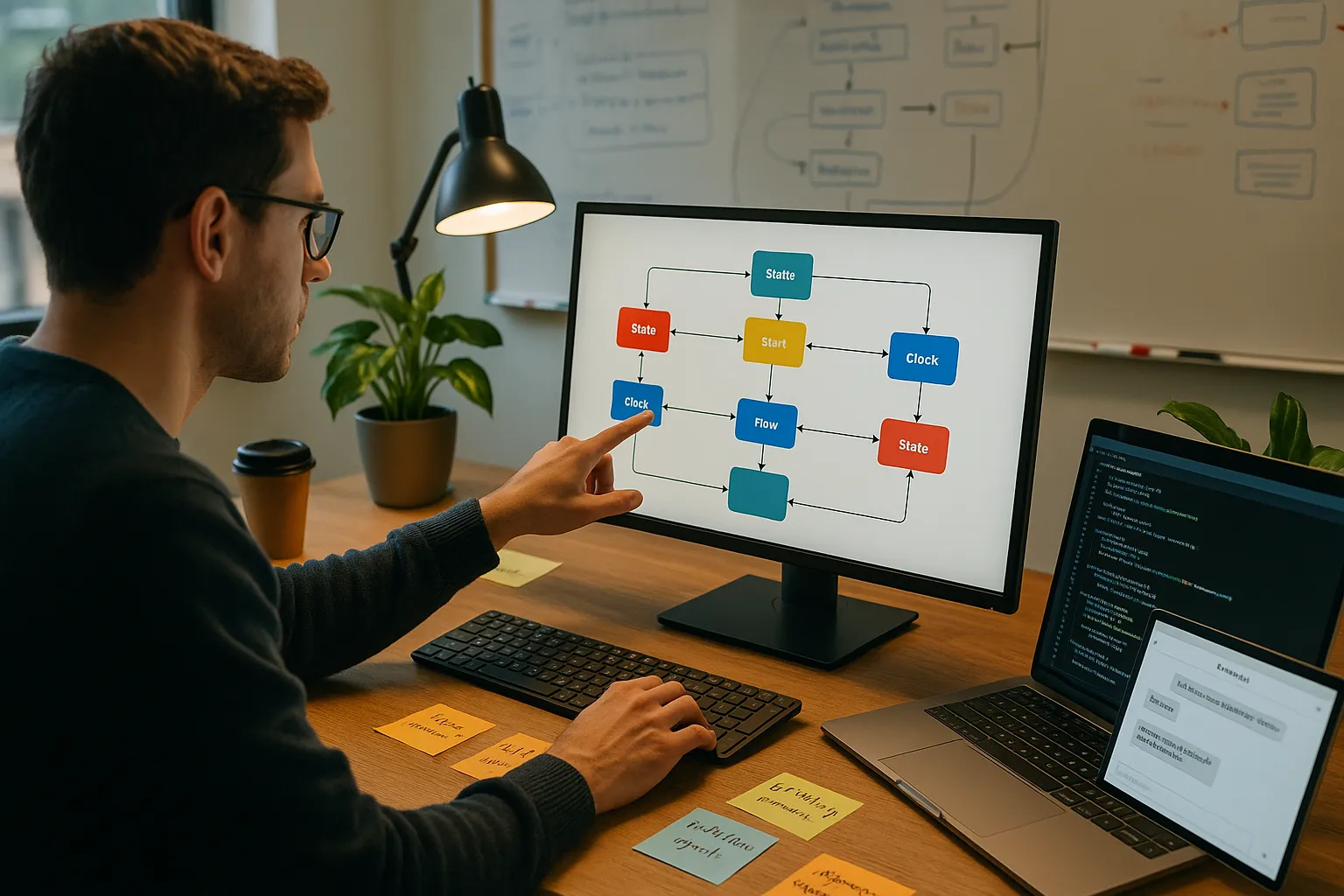
AI agent state machine design answers a plain production question: should the agent decide what to do next from a prompt, or should the workflow decide what state comes next?
Use a state machine when the agent has named phases, side effects, retries, approvals, or audit requirements. Use a prompt loop when the work is genuinely exploratory and the path cannot be known in advance. The mistake is treating those as implementation details. They are the reliability model.
The short version
A prompt loop asks the model to infer the workflow from conversation history. A state machine stores the workflow as data: current state, completed actions, pending approvals, retry counts, allowed transitions, and exit conditions.
That distinction matters because production agents do not just chat. They read records, call tools, draft messages, update systems, pause for review, retry failed actions, and leave evidence behind. If the agent can change a business system, the workflow needs a control surface stronger than “the model probably remembers what happened.”
Quick Decision Matrix: State Machine or Prompt Loop?
AI agent state machine decision matrix
Use this matrix to choose the architecture before implementation details take over. Reuse and approval patterns matter most once the same workflow shape appears across multiple features.
Workload trait: Open-ended research or investigation
- Better fit
- Prompt loop with guardrails
- Design implication
- Let the model explore, but log sources, tool calls, and stopping criteria.
Workload trait: Customer onboarding, renewal prep, intake, exception review, or other named process
- Better fit
- State machine
- Design implication
- Model the phases, handoffs, retries, and exit conditions before wiring tools.
Workload trait: Agent workflow state machine reuse across features
- Better fit
- Reusable state-machine template
- Design implication
- Share the state contract and transition pattern, then swap feature-specific nodes and adapters.
Workload trait: HITL approval workflow for high-impact actions
- Better fit
- State machine with approval states
- Design implication
- Pause before external side effects, store evidence, and resume from the approved state.
Workload trait: Retry-heavy workflow that touches CRM, ERP, email, ticketing, or billing systems
- Better fit
- State machine on a durable runtime
- Design implication
- Use idempotency keys, retry counters, rollback references, and failure states.
Workload trait: Prototype where speed matters more than repeatability
- Better fit
- Prompt loop
- Design implication
- Keep the surface small, measure failures, and graduate to explicit states once patterns repeat.
What an AI Agent State Machine Is
An AI agent state machine is an explicit map of workflow states and allowed transitions. The LLM still performs judgment-heavy work inside the workflow: classify an input, summarize a case, decide whether evidence is sufficient, draft a response, or propose a next action. But the model does not get unlimited authority to choose the workflow from scratch on every turn.
The state machine decides:
- What phase the workflow is in.
- Which facts are already known.
- Which side effects have already happened.
- Which tool calls are allowed in this state.
- Whether the next step is automatic, blocked, retryable, or waiting for approval.
- What evidence will be available when someone audits the run later.
That is different from a ReAct-style prompt loop, where the prompt describes a goal, tools are available, and the model repeatedly decides what to do next. Prompt loops are useful. They are also easy to overuse. The more the work resembles an operating process, the more expensive it becomes to hide the process inside a transcript.
The Onboarding Agent Failure
A SaaS company built an onboarding agent the conventional way: an LLM, a system prompt, a list of tools, and a while-loop that kept calling the model until it said it was done. The demo worked. The agent could read a new customer’s signup form, create their workspace, invite teammates, configure integrations, and send a welcome email from a single conversational prompt.
In production, it failed in ways the team did not have words for. Sometimes it skipped the welcome email. Sometimes it invited teammates twice. Sometimes it created the workspace, started configuring integrations, then circled back to “first create the workspace” and tried to make a duplicate.
The bug was not the prompt. The bug was that there was no defined workflow. The agent was a stateless loop being asked to remember what it had done by re-reading its own conversation history. Conversation history is not state. It is a transcript.
The fix was to model the workflow explicitly:
intake -> workspace_created -> teammates_invited -> integrations_configured -> email_sent -> doneEach state had entry conditions, exit conditions, idempotency markers, retry rules, and an escalation path. The LLM still read forms and drafted messages. It no longer got to decide whether the workspace creation step had already happened.
That is the central architectural question behind reliable agents: where should the model reason, and where should deterministic workflow logic take over?
Prompt Loop vs. State Machine
| Question | Prompt Loop | State Machine |
|---|---|---|
| Who chooses the next step? | The model, usually from prompt and conversation history | Transition logic based on typed state |
| Where is workflow memory stored? | Mostly in the transcript | In a structured state object |
| How do retries work? | The model decides, or the loop has generic limits | Each retry has a counter, condition, and escape path |
| How do approvals work? | Often as a tool or instruction | As named waiting states with evidence and resume behavior |
| How easy is incident debugging? | Requires reading traces and inferring intent | Inspect state history, transitions, tool calls, and approvals |
| Best fit | Exploration, research, unconstrained planning | Repeatable workflows with side effects, approvals, or audits |
This is not a vendor question. LangGraph makes the pattern explicit with StateGraph, and its official documentation frames LangGraph around long-running, stateful agents with durable execution and human-in-the-loop support. But the architecture is broader than LangGraph. You can build state-machine agents on Temporal, Inngest, Restate, DBOS, raw Python, or a custom workflow service.
The framework is downstream of the decision. Decide whether the workload is exploratory or repeatable first. Pick the runtime second.
A Production Agent State Machine
The most useful state machines are not elaborate. They are specific.
stateDiagram-v2
    [*] --> intake
    intake --> validate_signup
    validate_signup --> human_review: missing required data
    validate_signup --> create_workspace: valid
    create_workspace --> create_workspace_retry: transient error
    create_workspace_retry --> create_workspace: retry count under limit
    create_workspace_retry --> human_review: retry limit reached
    create_workspace --> invite_teammates: workspace id stored
    invite_teammates --> configure_integrations
    configure_integrations --> approval_required: risky integration change
    approval_required --> configure_integrations: approved
    approval_required --> human_review: rejected or edited
    configure_integrations --> send_welcome_email: integrations ready
    send_welcome_email --> done
    human_review --> done: resolved
    done --> [*]
Read that diagram and you can predict the agent’s behavior. You can also test it. You can ask what happens when signup data is missing, when workspace creation fails twice, when an integration change requires approval, and when the reviewer rejects the action.
A prompt can describe those rules. A state machine enforces them.
The State Object Is the Control Surface
The state object should be compact enough to inspect during an incident and complete enough to decide the next transition without rereading the whole conversation.
type OnboardingAgentState = {
  caseId: string;
  currentStep:
    | "intake"
    | "validate_signup"
    | "create_workspace"
    | "invite_teammates"
    | "configure_integrations"
    | "approval_required"
    | "send_welcome_email"
    | "done";
  workspaceId?: string;
  invitedUserIds: string[];
  integrationResults: Record<string, "pending" | "configured" | "failed">;
  pendingApproval?: {
    action: string;
    evidenceIds: string[];
    reviewerRole: string;
  };
  idempotencyKeys: Record<string, string>;
  retryCounts: Record<string, number>;
  errors: Array<{ step: string; message: string; retryable: boolean }>;
};
The point is not this exact schema. The point is the discipline. The state object should contain facts that affect execution:
- Workflow position and case identity.
- Business object IDs, such as account, ticket, invoice, contract, or workspace.
- Decisions already made by the model or a reviewer.
- Idempotency markers for side effects already performed.
- Pending approvals and reviewer outcomes.
- Retry counts, error classes, and escalation state.
- Evidence references, not full document blobs.
What does not belong in state: the full chat transcript, large files, embeddings, screenshots, or anything that can be recomputed safely. Keep those in logs or storage and reference them by ID. State should tell the workflow what to do next.
Context engineering belongs here too. A production agent needs rules for what evidence can enter the workflow, which source of truth wins when systems disagree, and what context must be shown to a reviewer before approval.
Designing Reusable State Machines Across Features
The strongest state-machine designs are reusable at the pattern level, not copy-pasted at the node level.
For example, renewal prep, onboarding review, invoice exception handling, and support escalation can all share a similar workflow shape:
intake -> gather_context -> propose_decision -> validate_policy -> approval_or_action -> write_back -> monitor_outcomeThe reusable part is the contract:
- Every run has a case ID, owner, workflow type, status, evidence package, decision, action, approval, outcome, and audit trail.
- Every side effect has an idempotency key and rollback reference where possible.
- Every approval state stores who reviewed, what they saw, what they changed, and why the workflow resumed.
- Every feature-specific node declares what it reads, writes, and refuses to do.
The feature-specific part is the business logic. A renewal workflow reads CRM and support context. An invoice workflow reads ERP and purchase-order context. A support escalation workflow reads ticket history and customer impact. They should not share prompts blindly, but they can share the same state-machine skeleton.
This is where AI Agents & Workflows becomes more than model selection. The production asset is a repeatable operating pattern: mapped workflow, state contract, permissions, review gates, write-backs, monitoring, and ownership.
HITL Approval Workflow State Machine Patterns
Human-in-the-loop approval works best when it is a state, not an afterthought.
Weak pattern: the agent drafts an action and sends a Slack message asking someone to approve it. The workflow keeps moving because no explicit state says it is paused.
Stronger pattern: the workflow enters approval_required. It stores the proposed action, evidence, policy check, reviewer role, due time, and allowed reviewer outcomes. Nothing irreversible happens until the state changes.
Useful approval outcomes include:
- Approve: continue to the next action with the approved payload.
- Approve with edits: store the human edit, then continue with the edited payload.
- Reject: stop the action and record why.
- Escalate: move to a higher-risk review state.
- Request more context: return to context gathering with a specific missing-evidence reason.
That design is especially important for external messages, financial changes, customer-impacting actions, regulated workflows, access changes, and any write-back that would be painful to undo.
The approval state also gives operators something to measure: how often reviewers approve, edit, reject, or ask for more context. That is the feedback loop Continuous AI Operations needs after launch.
State Machine Design Checklist for Production Agents
Before an agent writes to business systems, the workflow should answer these questions:
- What event starts the workflow?
- What are the named states?
- What data must exist before each state can run?
- Which states are allowed to call tools?
- Which tool calls need idempotency keys?
- Which actions need human approval?
- What happens when approval is rejected or edited?
- Which failures are retryable, and how many times?
- What is the terminal success state?
- What is the terminal failure state?
- What evidence is logged for audit and incident response?
- How will the workflow be evaluated after launch?
If the team cannot answer those questions, the agent may still be useful as a prototype. It is not ready for broad autonomy.
What Breaks in Production
State-machine agents fail differently from prompt-loop agents. The failure modes are more visible, which is the point.
| Failure mode | What it looks like | Fix |
|---|---|---|
| State is too thin | The workflow reaches a branch but does not have the facts needed to choose safely | Add required state fields and validation before the branch |
| State is too broad | The object becomes a dump of transcript, documents, and model outputs | Move large artifacts to storage and keep references in state |
| Nodes are too coarse | One node reads context, reasons, writes to CRM, and emails the customer | Split at natural retry, approval, and side-effect boundaries |
| Nodes are too small | Dozens of tiny nodes make the workflow harder to understand than the original process | Collapse adjacent steps that share the same owner and failure behavior |
| Transitions depend on prose | An edge checks whether the model said “looks good” | Use structured outputs, typed scores, or explicit reviewer decisions |
| Retry loops have no escape | The workflow keeps trying the same failed tool call | Add retry counters, error classes, and human-review exits |
| Approval is bolted on | A reviewer sees the draft but the workflow cannot pause or resume cleanly | Make approval a first-class state with stored evidence and outcomes |
The deeper risk is forcing every agent into a state machine. Some workloads are genuinely open-ended. If the agent is exploring an unknown topic, discovering sources, or producing an unconstrained plan, a prompt loop may be a better starting point. Make repeatable work repeatable; leave open-ended exploration room to explore.
How This Connects to Orchestration and Durable Execution
State-machine design is one layer of the production system. It should not be confused with the surrounding architecture.
- Agent orchestration patterns decide who calls whom across agents, tools, and services.
- State-machine design decides how one workflow tracks phase, evidence, retries, approvals, and side effects.
- Durable execution for AI agents decides whether the workflow can resume after infrastructure failure.
- Continuous operations decides how the team monitors, evaluates, tunes, and responds after launch.
You can combine these layers freely. A supervisor agent can route work to multiple specialized agents while the high-risk write-back path remains a state machine. A prompt-loop research agent can feed evidence into a deterministic approval workflow. A LangGraph state graph can run inside a durable workflow runtime if the business process needs external guarantees.
The practical rule is simple: make the state machine own the parts of the work where skipped steps, duplicate actions, missing approvals, or unexplainable traces would hurt the business.
Design the Workflow Before the Agent Writes to Systems
If your agent skips steps, repeats work, or cannot explain why it acted, the problem is usually workflow structure. Map the workflow, define state, add approvals, and ship agents that can be monitored after launch.
The Closing Reframe
The state machine you draw is the operating agreement for the agent. It says what the model can decide, what the workflow must decide, what humans must approve, and what evidence the business can inspect later.
That is why state-machine design belongs early in the build, not after the demo. It turns “the model can probably do this” into “the workflow knows what happens next.”
For production AI, that is the difference between an impressive agent and an accountable one.
Frequently Asked Questions
What is an AI agent state machine?
An AI agent state machine is an explicit map of workflow states and transitions. It stores where the agent is in the process, what has already happened, what data is available, which tool calls are allowed, and what conditions move the workflow forward. The LLM can still reason inside a state, but transition logic decides what state comes next.
When should I use a state machine instead of a prompt loop?
Use a state machine when the workflow has identifiable phases, retries, approvals, side effects, audit requirements, or a need to resume after failure. Use a prompt loop when the work is genuinely exploratory, such as research or open-ended planning, and the path cannot be known in advance.
Why do prompt-loop agents fail in production?
Prompt-loop agents often treat conversation history as state. That works for demos, but production workflows need durable facts: completed actions, current phase, idempotency markers, pending approvals, retry counts, and failure status. Without that structure, agents can repeat work, skip required steps, or lose the plan.
What belongs in an AI agent state object?
A state object should contain workflow position, case identity, business object IDs, decisions already made, idempotency markers, pending approvals, retry counts, error state, and evidence references. It should not contain the entire transcript or large blobs. Keep state compact enough to inspect during an incident.
How do state machines help with HITL approval workflows?
They make approval a first-class state. The workflow can pause before a high-impact action, store the proposed action and evidence, wait for an authorized reviewer, record approve-edit-reject-escalate outcomes, then resume deterministically from the approved state.
Can the same agent workflow state machine be reused across features?
Yes, but reuse the pattern rather than copying every node. Many workflows can share a skeleton such as intake, gather context, propose decision, validate policy, approve or act, write back, and monitor outcome. The feature-specific nodes still need their own sources, prompts, permissions, and business rules.
Is LangGraph required for AI agent state machine design?
No. LangGraph is a strong implementation option because it makes state graphs, persistence, and human-in-the-loop control explicit, but the architecture is framework-agnostic. Teams can build state-machine agents on LangGraph, Temporal, Inngest, Restate, DBOS, raw Python, or a custom workflow service.